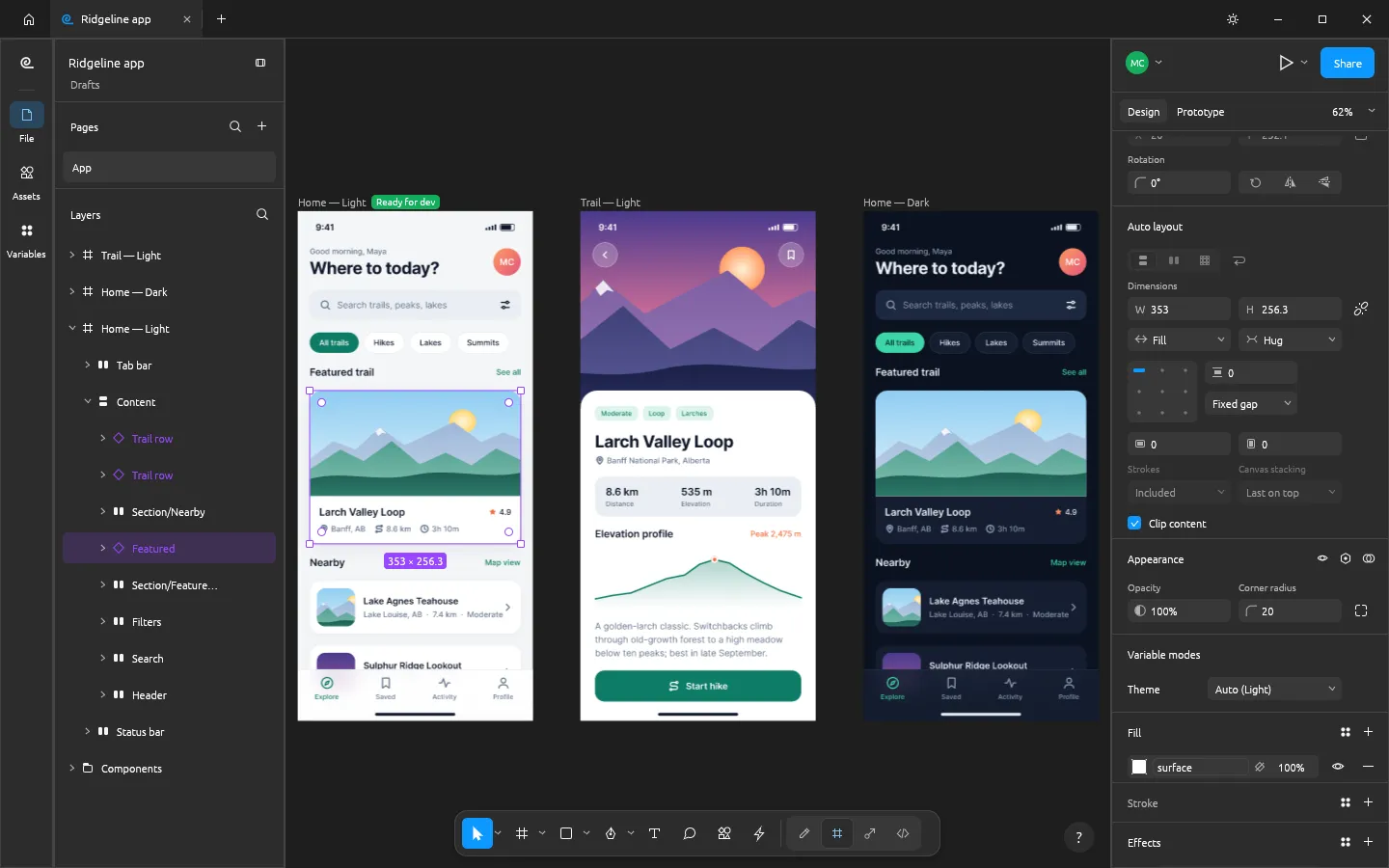
FigCraft is a free, open-source interface design tool that recreates the Figma workflow. The ArtCraft team wrote it in Rust as a native app that opens instantly and works offline — and it also runs in the browser, so you can use FigCraft online.
What it can do
- Auto layout in both directions with wrap and grid, padding, gaps, alignment, Hug / Fill / Fixed sizing and on-canvas handles.
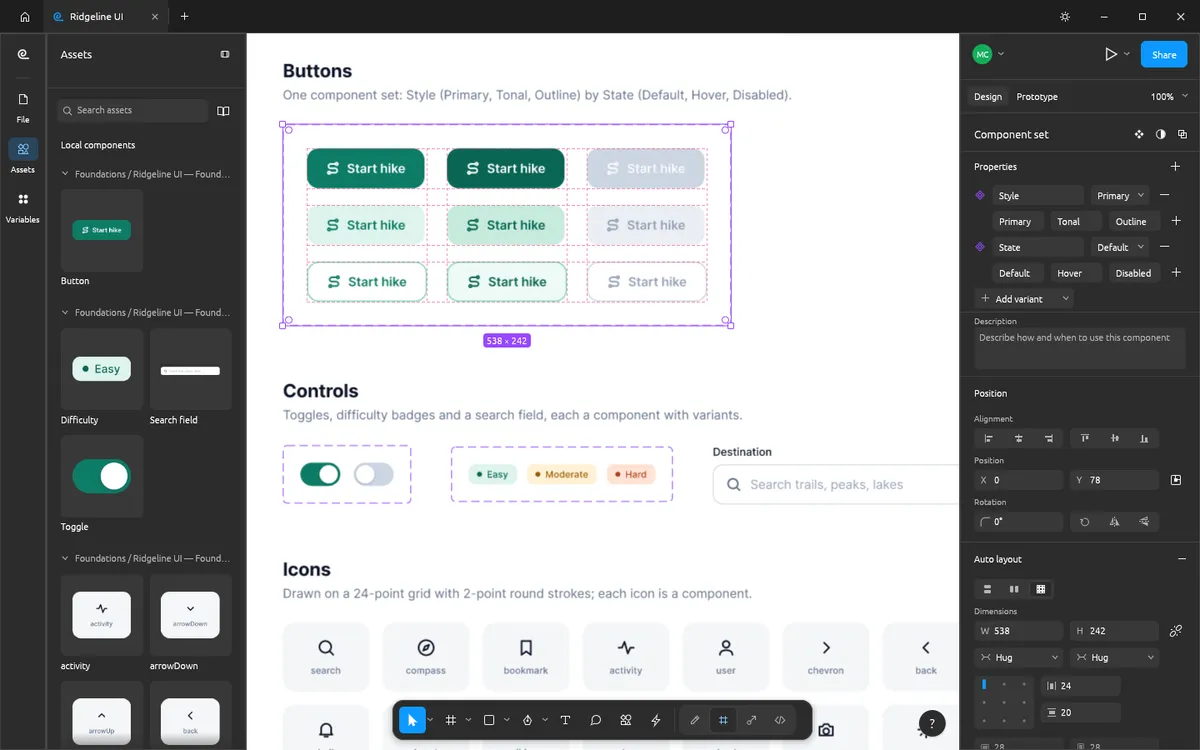
- Components: main components, instances with overrides, component sets with variants and properties, and an Assets panel.
- Variables and styles: colour, number, string and boolean variables with modes (Light and Dark from one set), plus paint, text, effect and grid styles.
- Vectors: real vector networks with Pen and Pencil, variable-width strokes and editable booleans.
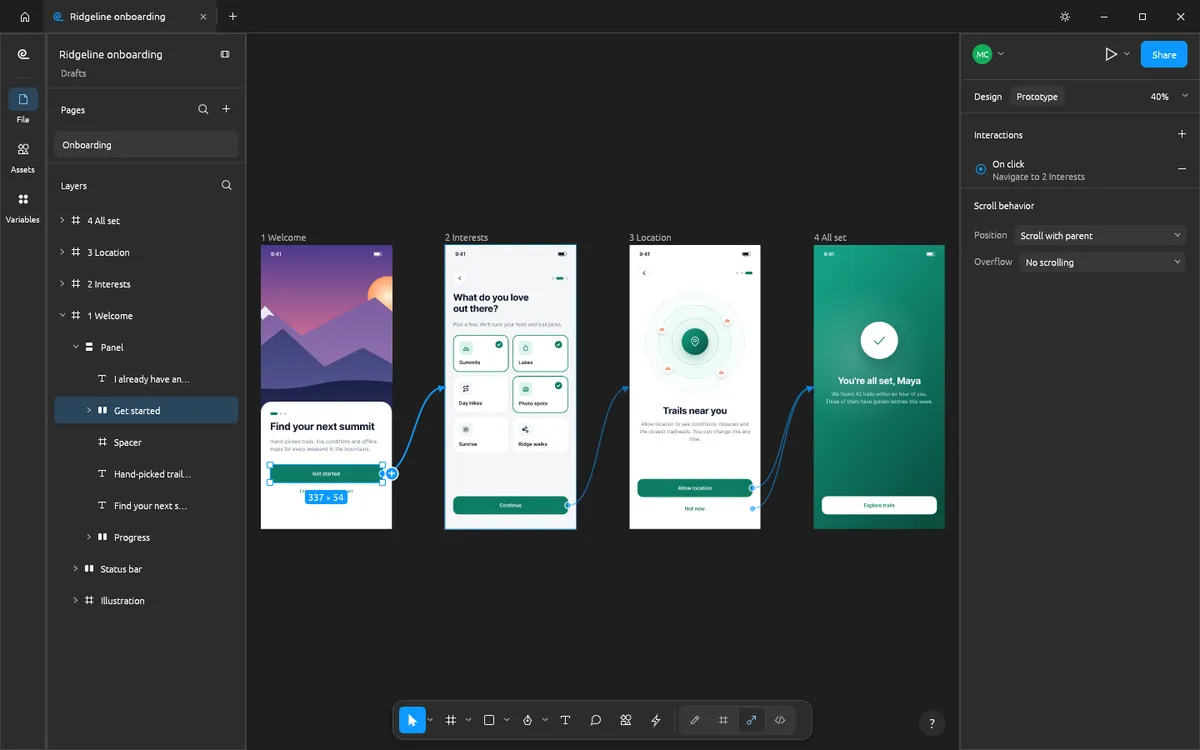
- Prototypes: connections, triggers, Smart Animate-style transitions, conditional variables, flows and a presentation view.
- Dev Mode: ready-for-dev status, annotations and React code.
- Files: .figcraft archives; SVG, PNG, JPG, WebP and PDF in and out; .fig files open on a best-effort basis.
Where it stands
FigCraft is in alpha. Its authors estimate it is about 49% of the way to replacing Figma for real work: nearly all of Figma's main menu is wired and the core editor works end to end, but .fig import is best effort and live sessions are a preview.
FigCraft vs Figma and Penpot
Figma is the standard for team design, with an account and the cloud. Penpot is open source and browser-based, with cloud or self-hosted accounts. FigCraft is open source, Figma-shaped, works offline with no account, and runs both natively and in the browser. See the detailed FigCraft vs Figma and FigCraft vs Penpot comparisons.
Try it
Open FigCraft Online, draw a frame and turn on auto layout in the Design panel. The web version starts with one blank document; to open and save files, download the desktop app.
Questions people ask
Does FigCraft have Dev Mode?
Yes: a ready-for-dev status, annotations and React code where component properties become props.
Can several people edit a FigCraft file together?
Live sessions with cursors, selections and cursor chat exist as a preview through figcraft-server. They are not yet a replacement for Figma’s collaboration.
Where are FigCraft files stored?
On your own disk, as plain .figcraft archives. FigCraft has no account and no telemetry.
Try FigCraft right now
The full editor runs in your browser. No install, no account.