
Design system · .figcraft file
Ridgeline UI design system
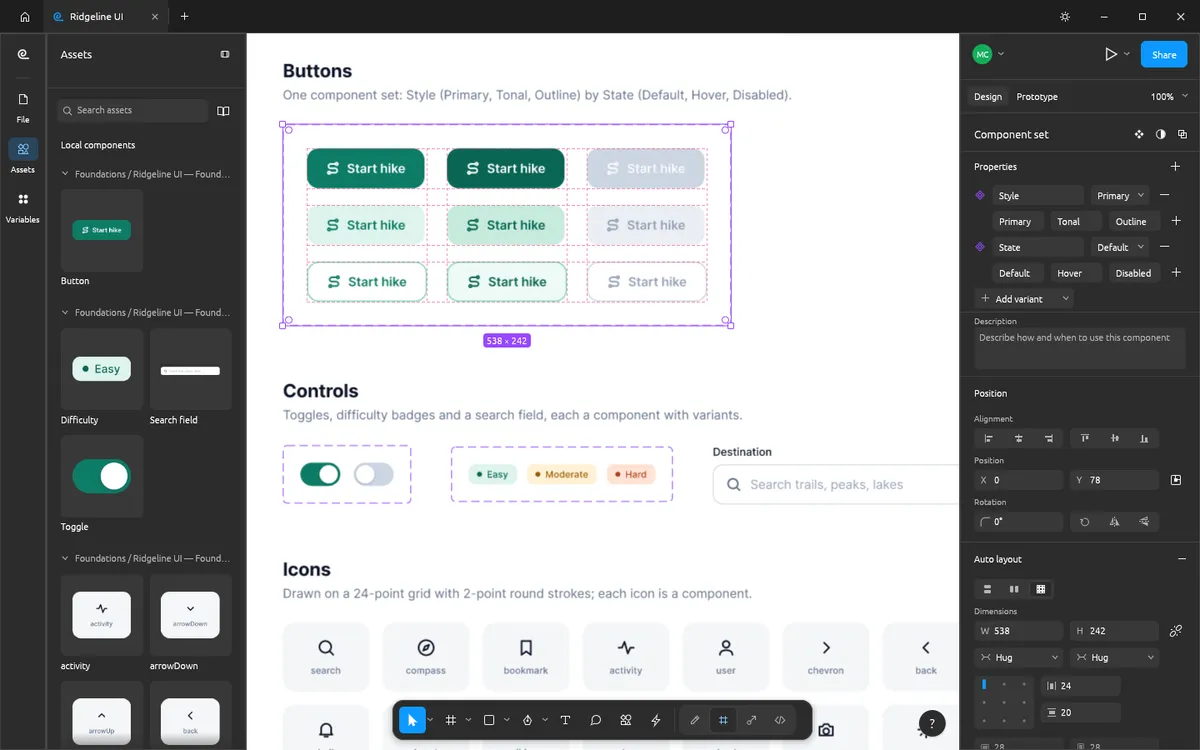
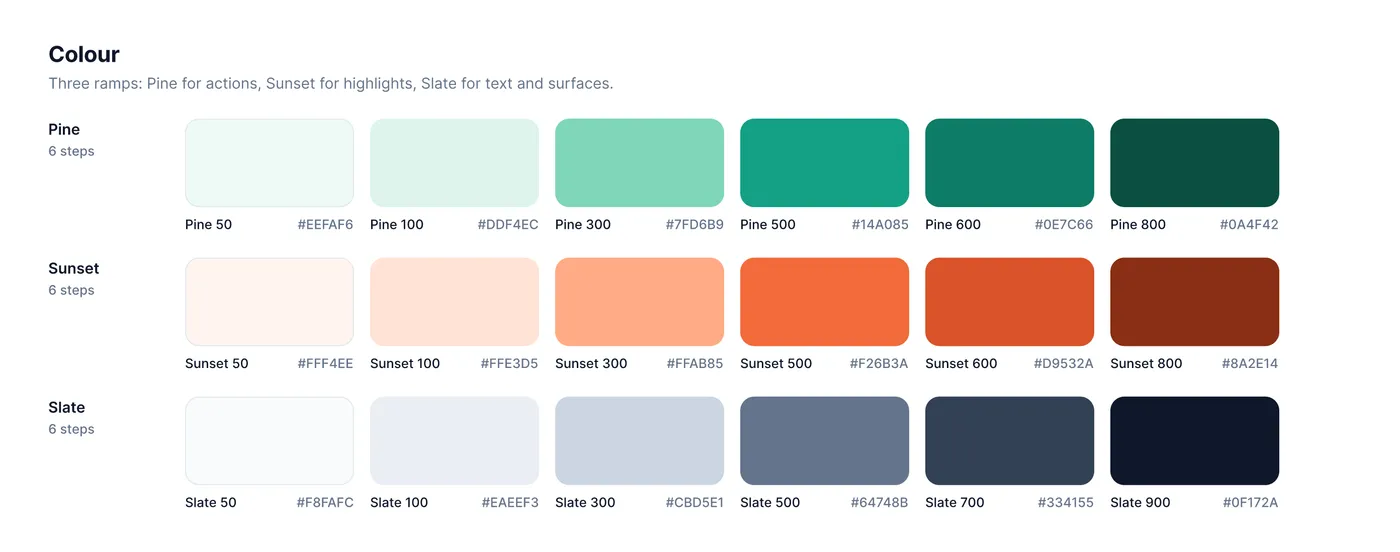
A free FigCraft design system file: button, toggle, search field and icon components with variants, plus colour ramps where every swatch is a paint style.
Design and images: FigCraft contributors, MIT OR Apache-2.0 — official example file from FigCraft v0.6.0.
What’s in this file
The Ridgeline UI design system is the component library behind the Ridgeline app. It shows how FigCraft handles component sets, variant properties and the Assets panel, and how paint styles turn into a documented colour palette.
- Button, Difficulty, Search field, Toggle and icon components
- A Button component set with nine variants
- Colour ramps — Pine greens, Sunset oranges and Slate greys — with every swatch a paint style
- Assets panel with live thumbnails of every component
How to open it
- Download ridgeline-design-system.figcraft from the official FigCraft repository.
- Install the free FigCraft desktop app for Windows, macOS, Linux or FreeBSD.
- Open the file with File ▸ Open, or drag it onto the FigCraft window.
The web version on this site starts with one blank document and cannot open files yet — it is great for trying the tools by hand.