FigCraft Online – Free Figma Alternative in Your Browser
Preparing FigCraft…
First visit downloads the editor once (≈8 MB). After that it opens instantly from your browser cache. Nothing you draw is uploaded.
Preparing FigCraft…
First visit downloads the editor once (≈8 MB). After that it opens instantly from your browser cache. Nothing you draw is uploaded.
Hero / Desktop
Free · Open source · Runs in your browser
The open-source Figma alternative, running right here. Frames, auto layout, components and variants, vector networks, variables and prototypes — no account, nothing uploaded.
Toolbar, layers, Design panel, menus and shortcuts sit where Figma users expect them.
No account and no telemetry. The editor runs on your device; nothing you design is uploaded by this site.
400+ commands drive the same engine from the UI, a CLI or an MCP server for Claude and other agents.
About the app
FigCraft is a free, open-source interface design tool that recreates the Figma workflow: frames, auto layout, components and variants, vector networks, styles, variables and prototypes. Files are plain .figcraft archives on your own disk, with no account and no telemetry. It is written in Rust by the ArtCraft team and runs on Windows, macOS, Linux and in the browser.
It is alpha software: its authors estimate it is about 49% of the way to replacing Figma for real work. It opens .fig files only on a best-effort basis, and live multiplayer sessions are a preview.
FigCraft features
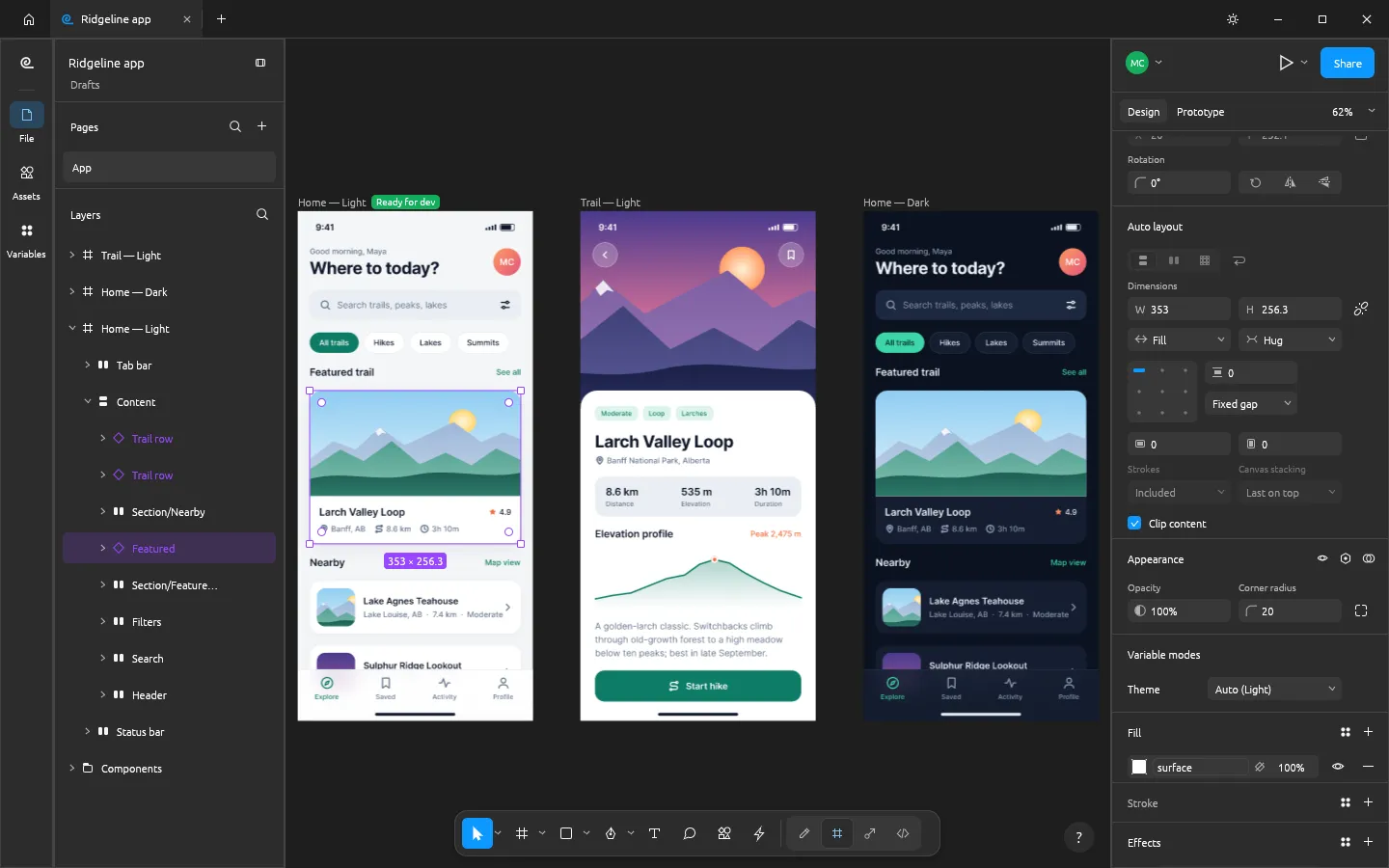
Both directions with wrap and grid, padding and gaps, Hug / Fill / Fixed sizing and on-canvas handles.
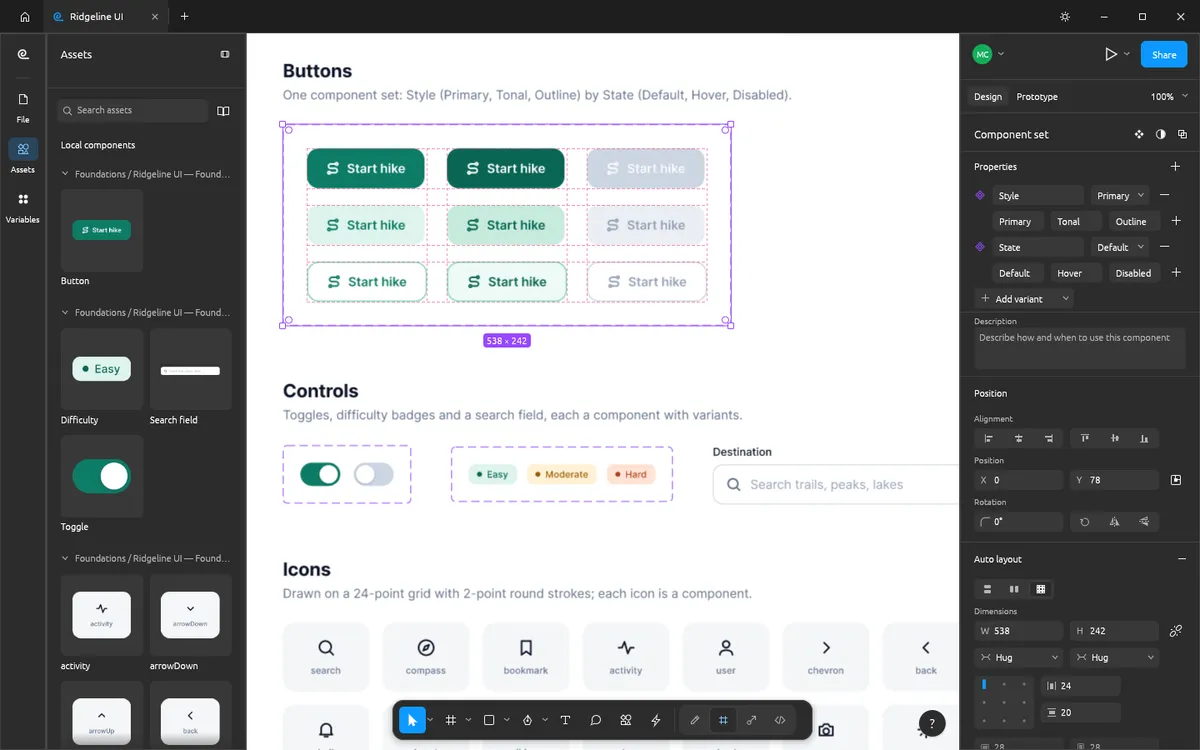
Main components, instances with overrides, component sets with variant properties and an Assets panel.
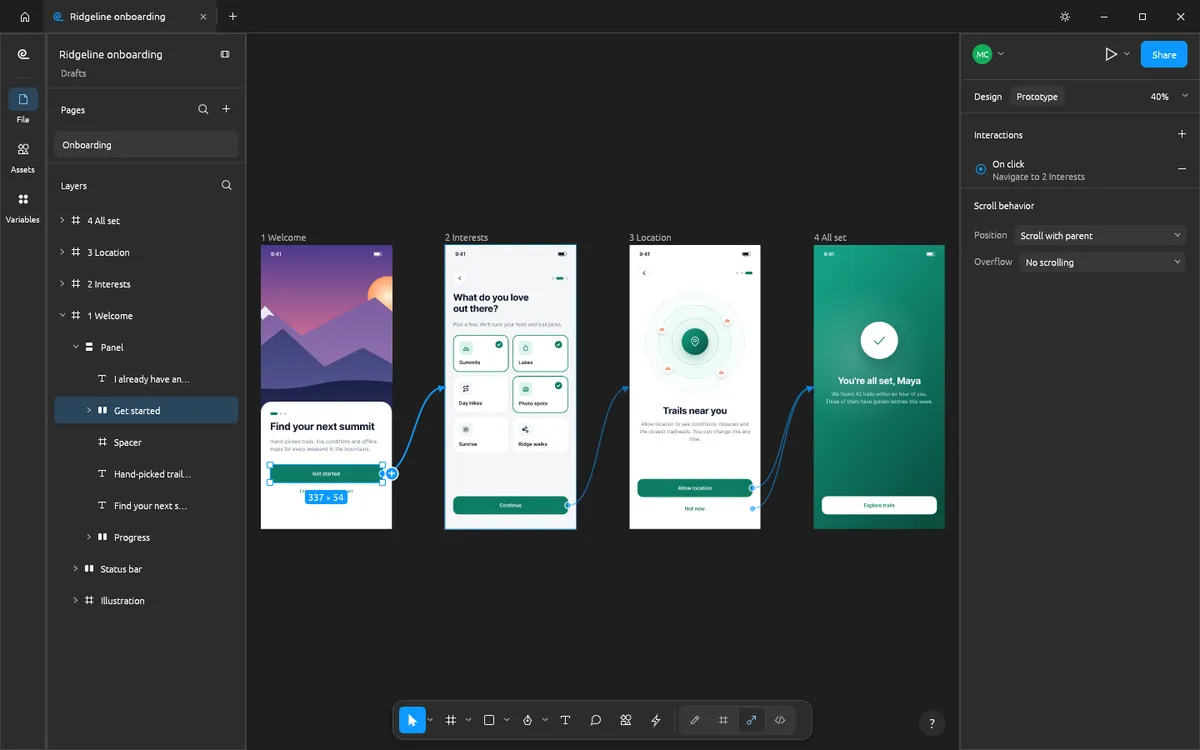
Connections, triggers, Smart Animate-style transitions, variables with conditionals and flows.
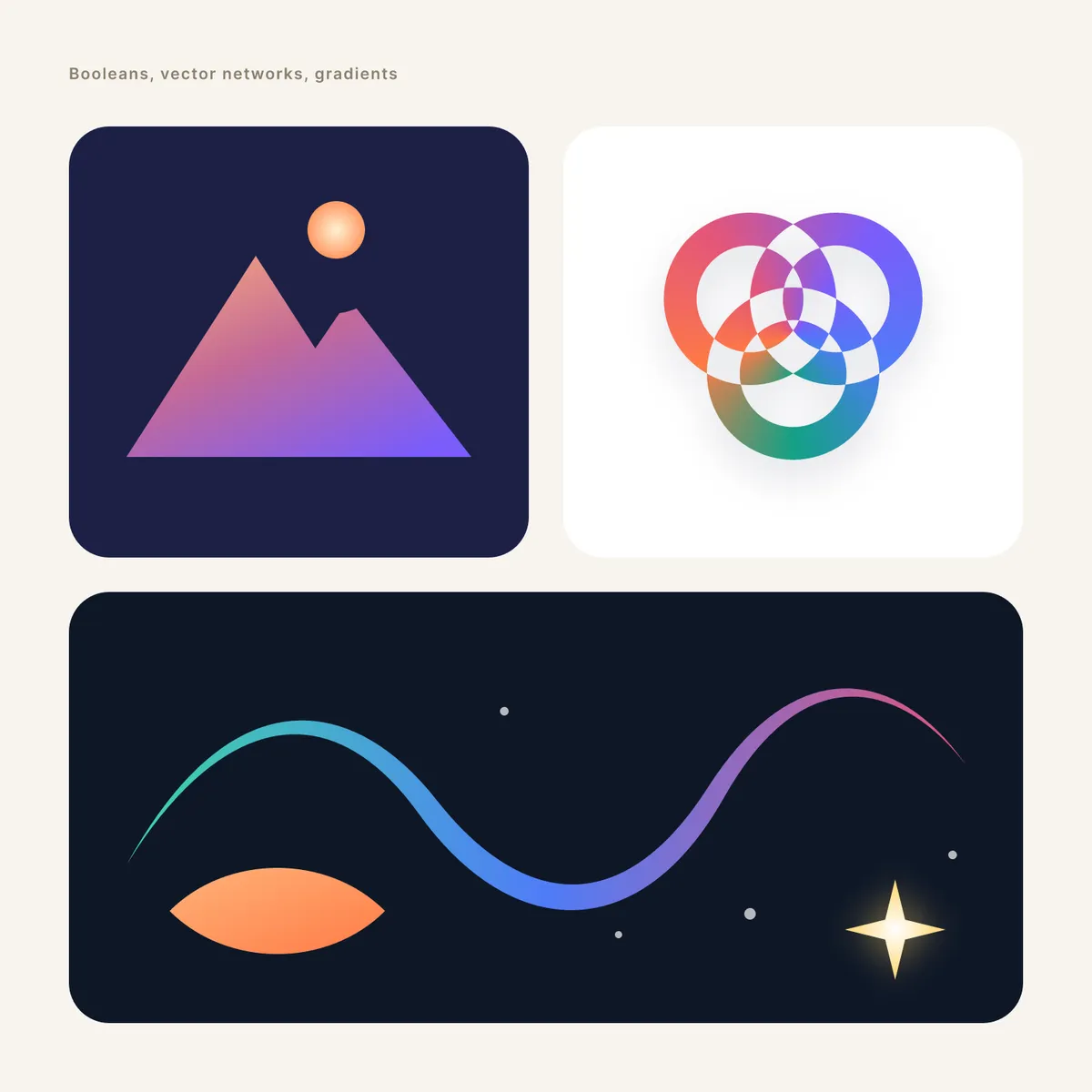
Pen and Pencil, vector edit mode, variable-width strokes and booleans that stay editable.
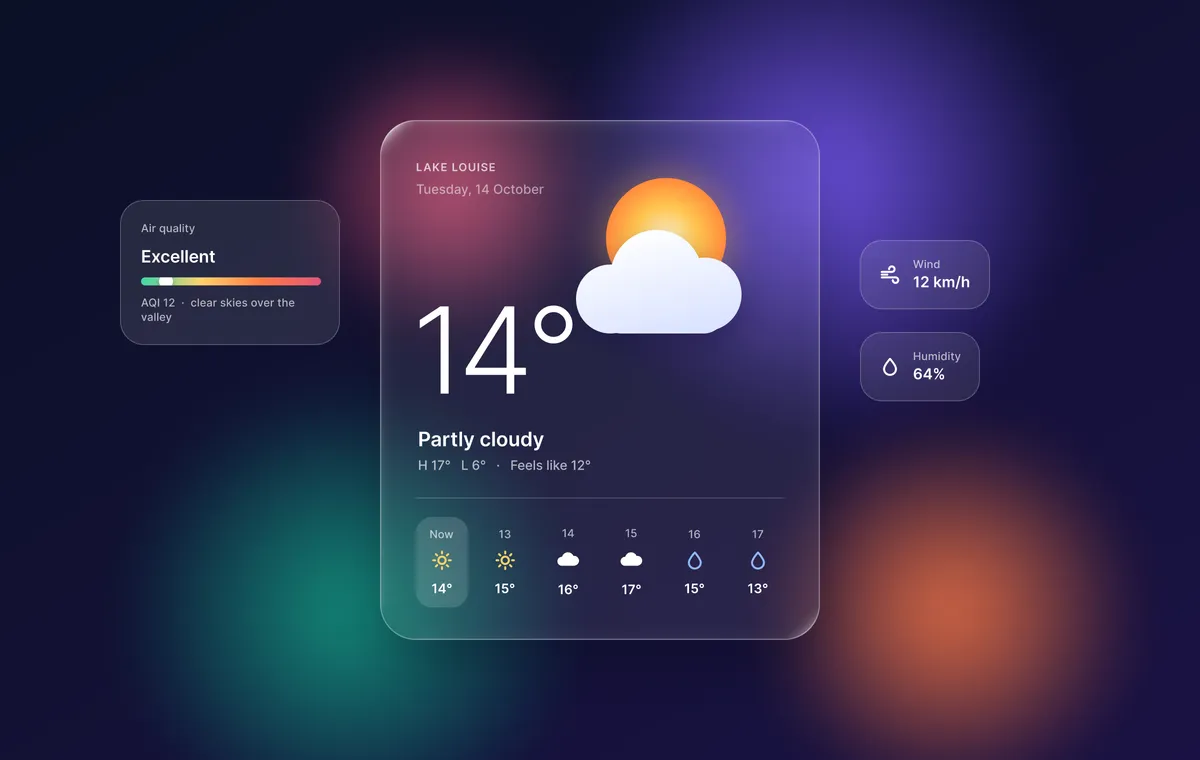
Every gradient type, image fills, blend modes, shadows, layer and background blur, and noise.
Layout grids, paint, text, effect and grid styles, and text with OpenType features and right-to-left support.
Screenshots and designs: FigCraft contributors, MIT OR Apache-2.0 (made with FigCraft’s command API).
Made in FigCraft
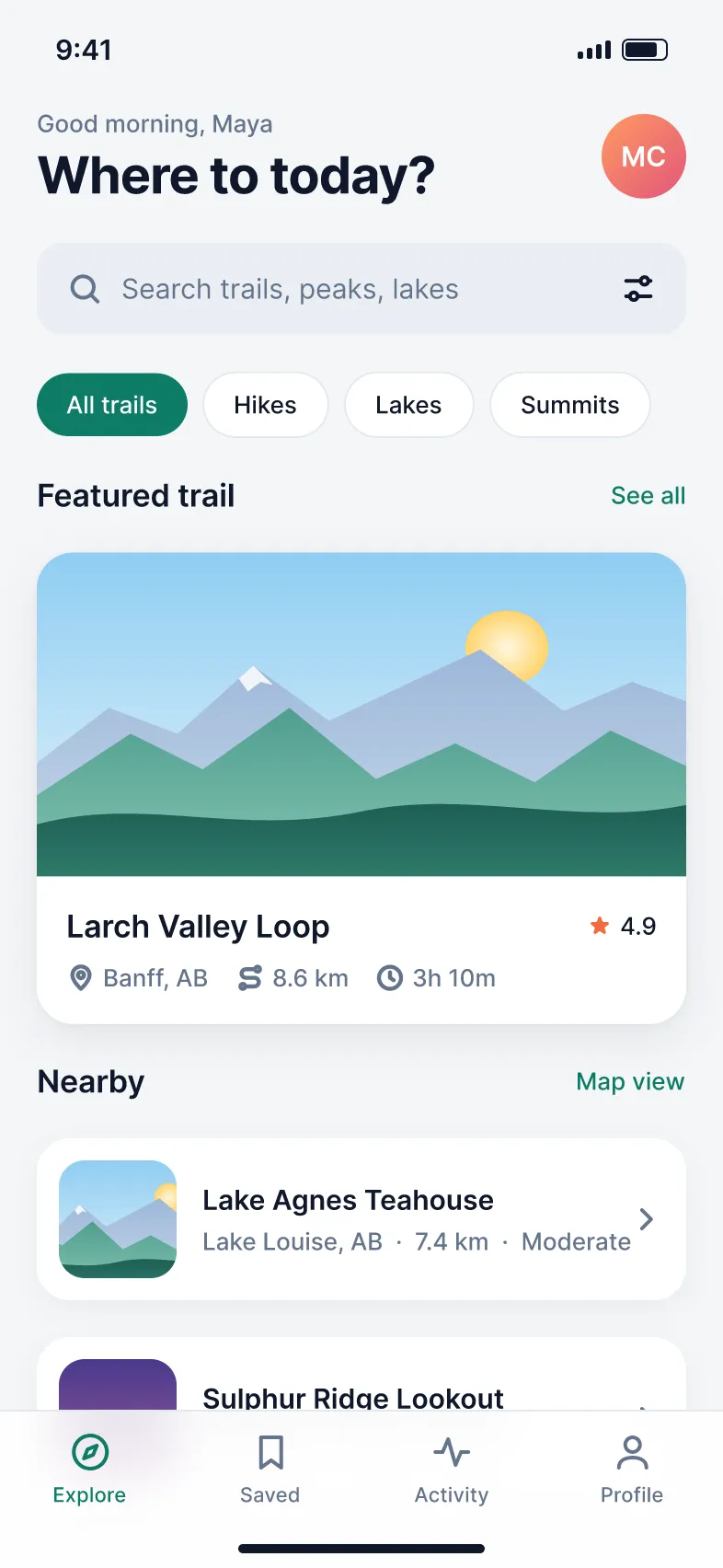
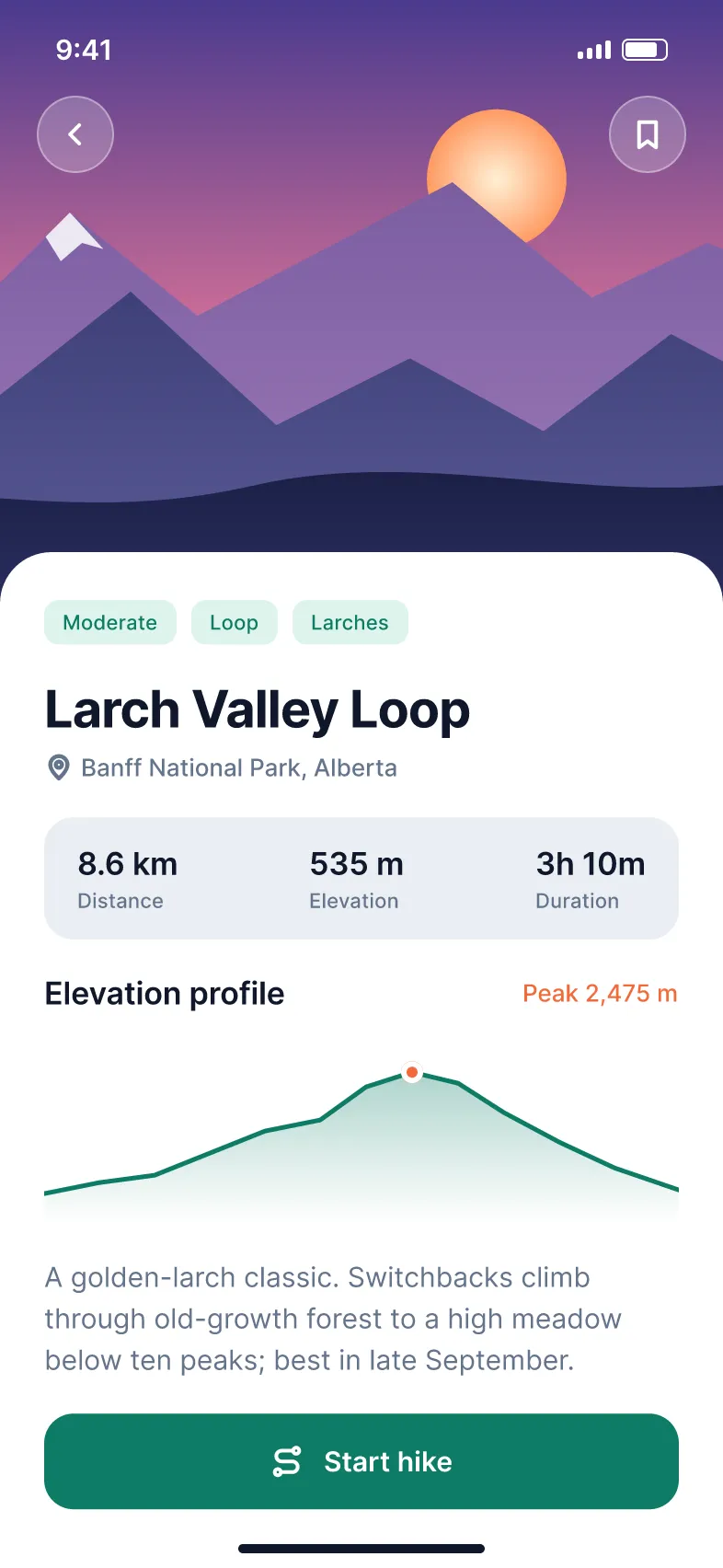
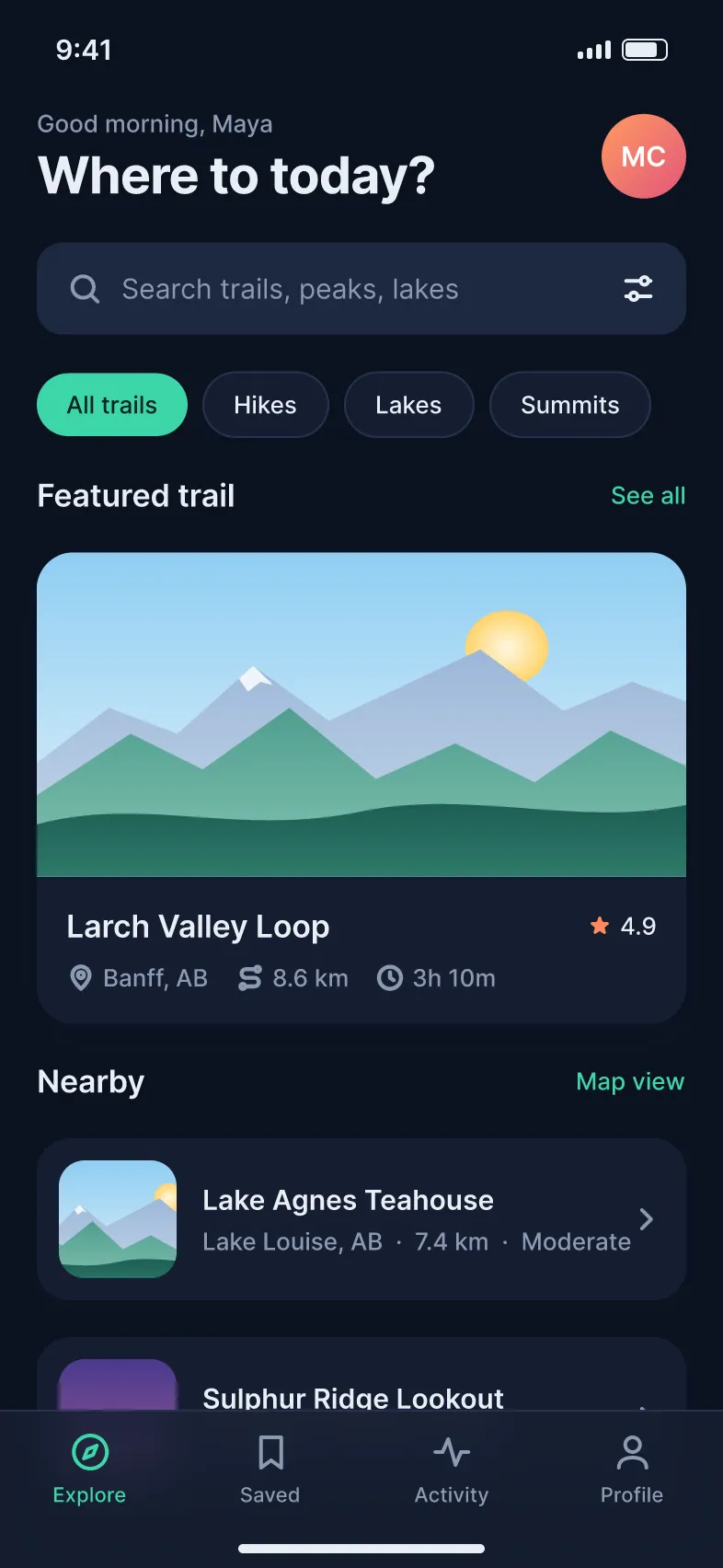
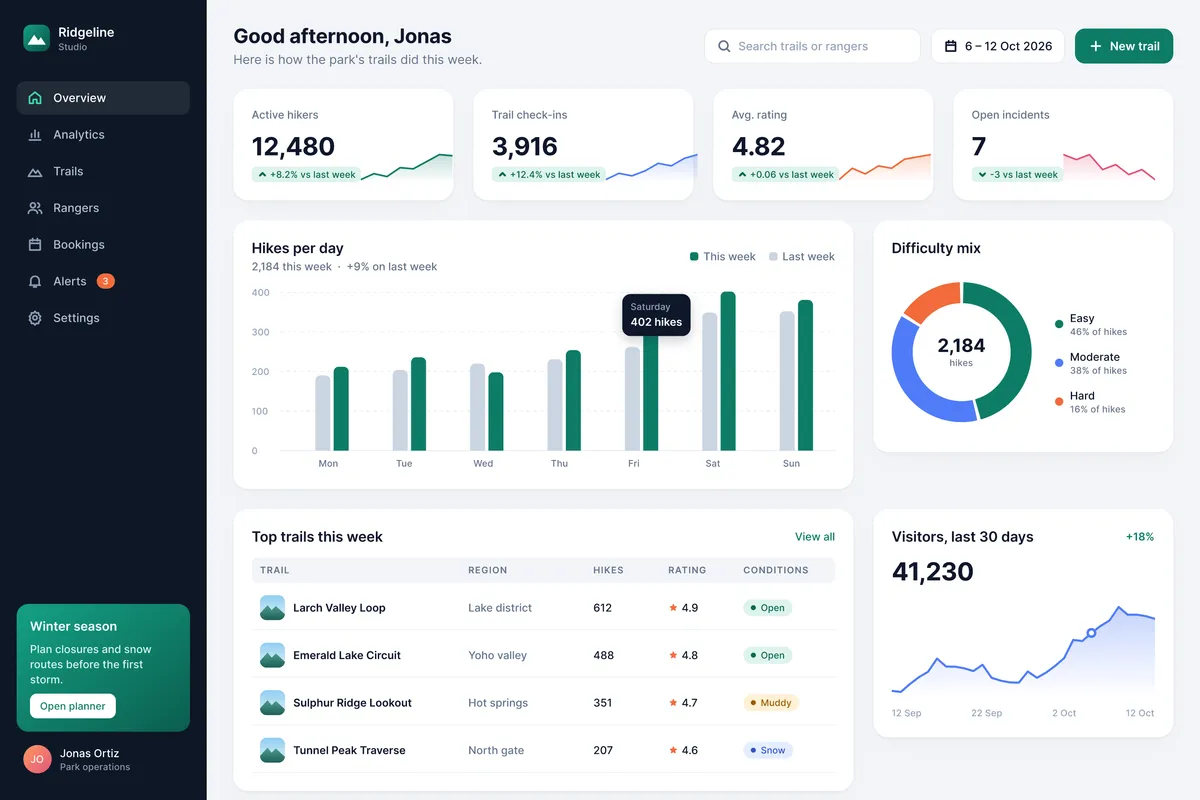
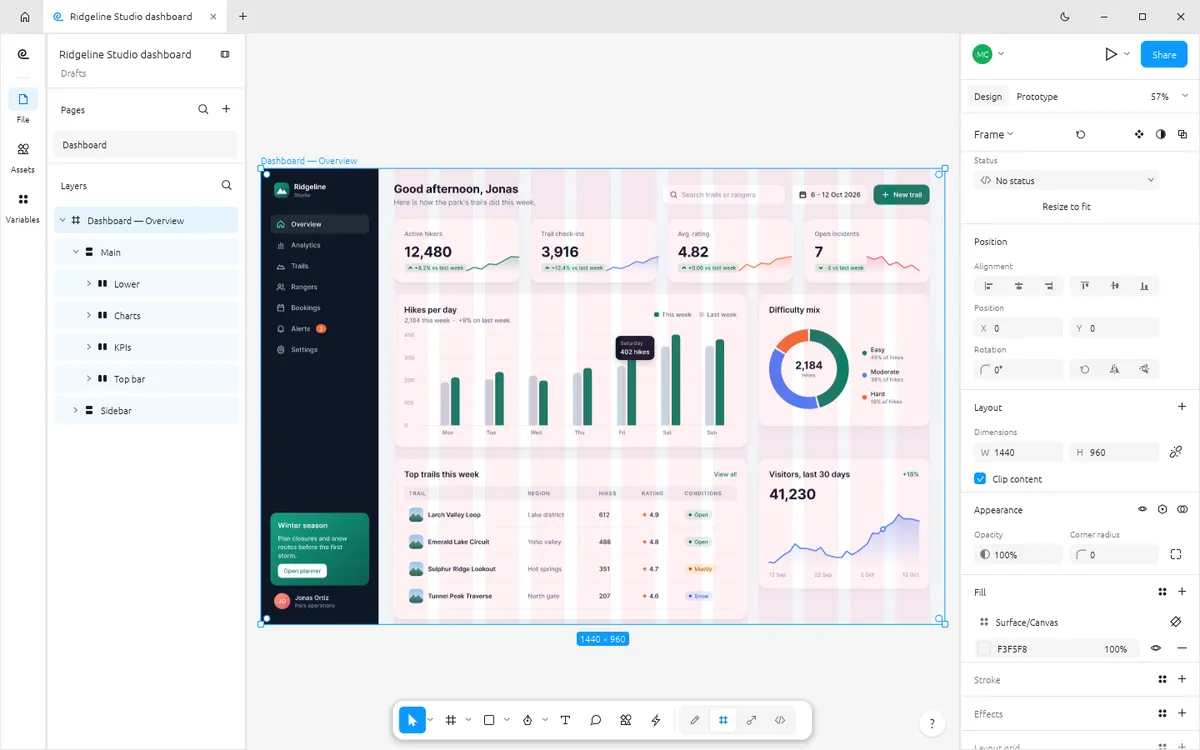
The official example files — a mobile app with light and dark modes, a design system, a prototype, a dashboard and glass effects — open source and ready to open in FigCraft.
Get started
The first visit downloads FigCraft (about 8 MB). After that your browser keeps it, so it opens in a moment.
The web version starts with one blank document. Draw frames with F, add auto layout, build components and set up variables.
Wire up interactions and preview them. To open and save files (.figcraft, .fig, SVG, PDF), use the free desktop app.
Dev Mode
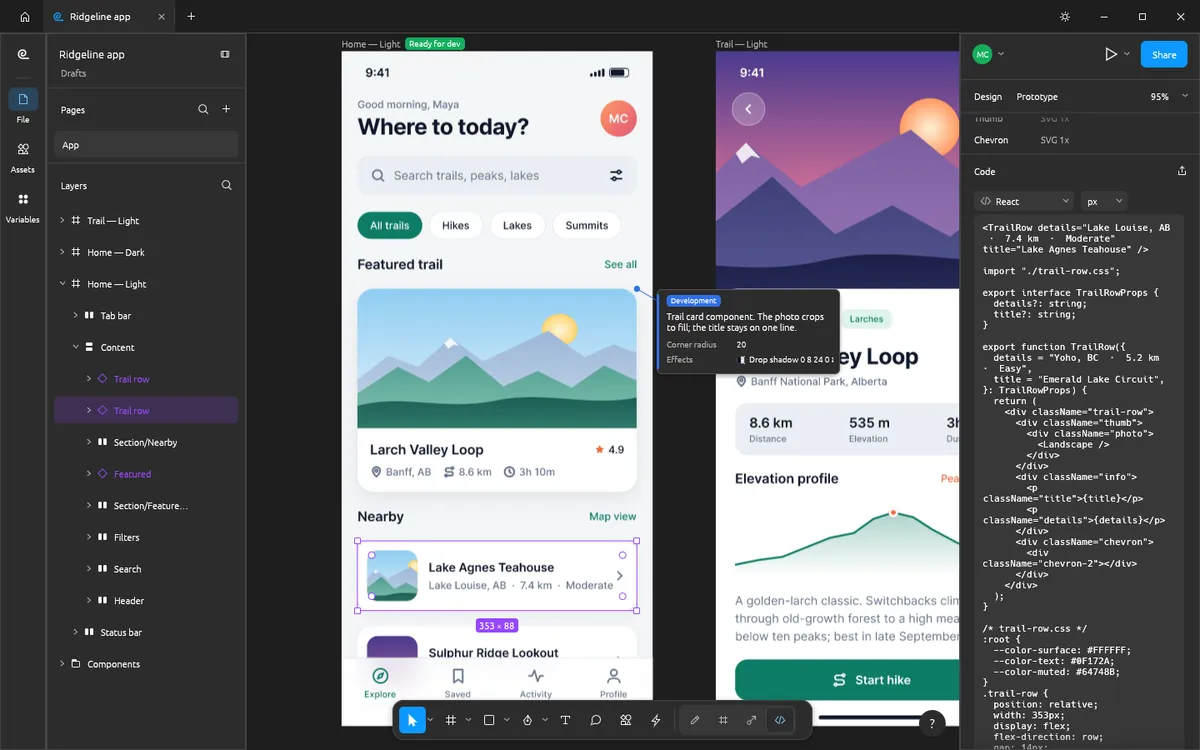
Mark frames Ready for dev, add annotations and inspect CSS, SwiftUI, Jetpack Compose, HTML, React and Leptos code where component properties become props.
Live sessions · preview
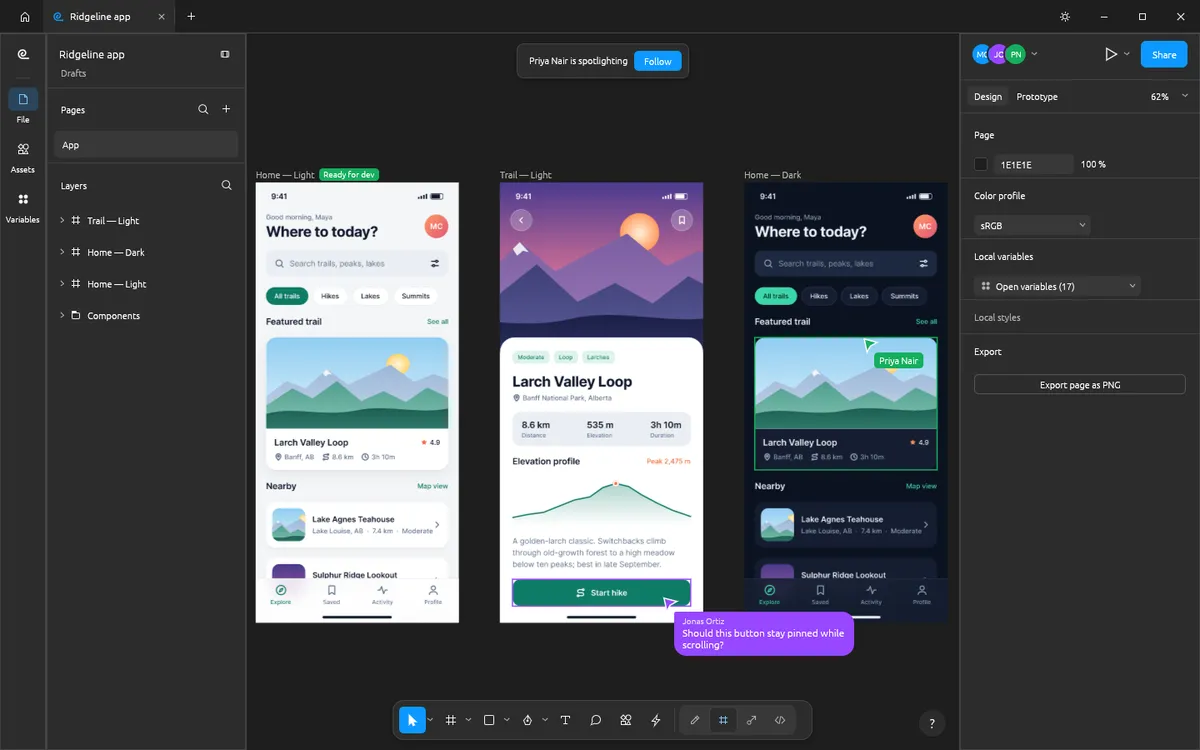
Share a file with a join code, online or on your local network, and see each other’s cursors, selections, cursor chat and spotlight. Or run your own figcraft-server.
MCP · CLI · Control channel
Every menu item, tool and drag in FigCraft is a command, and the desktop app ships an MCP server. Claude Code, Claude Desktop and other MCP clients can create layers, run commands, inspect the document and render it to PNG.
Set up FigCraft MCP# Let Claude design in FigCraft (desktop CLI)
claude mcp add figcraft -- /path/to/figcraft-cli mcp
# …or drive the open app and watch it work
figcraft --control 7979
claude mcp add figcraft-app -- /path/to/figcraft-cli mcp --attach 7979Who it’s for
The same panels, menus and shortcuts — see what carries over and what does not yet.
FigCraft vs FigmaFigma has no Linux app. FigCraft ships AppImage, .deb, .rpm and Flatpak builds.
Figma alternatives for LinuxA free, native design tool for Windows and Linux, with components and prototypes.
FigCraft vs SketchDrive a real design tool from Claude through MCP, or script it with the CLI.
FigCraft MCP guideCompare
| Feature | FigCraft Online | Figma | Penpot |
|---|---|---|---|
| Price | Free | Free tier; paid plans | Free; paid plans |
| Runs in the browser | |||
| No account needed | |||
| Files stay on your device | Self-hosted only | ||
| Open source | |||
| Native desktop app | |||
| Real-time collaboration | Preview | ||
| Maturity | Alpha | Industry standard | Mature |
FigCraft opens .fig files and Figma REST API JSON on a best-effort basis. Read the full FigCraft vs Figma comparison or FigCraft vs Penpot.
What’s new · released 2026-10-14
Eight starter templates on the home screen, everyday editing polish, safer online sharing, better .fig export and Leptos code in Dev Mode — plus fixes from eleven new contributors.
Yes. FigCraft is free, open-source software (MIT or Apache-2.0), and this page lets you use its web version without paying, installing anything or creating an account.
On a best-effort basis: the desktop app opens .fig files and designs exported as Figma REST API JSON, and works natively with .figcraft archives, SVG, PNG, JPG, WebP and PDF. The web version does not have file dialogs yet.
No. It has no account and no telemetry, and contacts no server until you choose to share or join a live session (a preview feature).
Yes: main components, instances with overrides, variants and properties, plus auto layout in both directions with wrap and grid.
Not yet for team work: its authors estimate about 49% readiness, and collaboration is still a preview. It is already useful for solo design and prototyping.
No. FigCraft is made by the ArtCraft team (getartcraft.com and github.com/storytold/figcraft). FigCraft Online is an independent, unofficial site that hosts the unmodified official web build and writes guides about it.
Release notes2 min read
The FigCraft release history in plain English, from 0.2.0 to 0.6.0: what each version added, when it shipped and links to the official notes.
Read guideAI & automation2 min read
Set up the FigCraft MCP server with Claude Code or Claude Desktop, headless or attached to the running app, and give AI agents a real UI design tool.
Read guideTutorials2 min read
Fix common FigCraft problems: the web editor won’t load or shows a blank canvas, WebGPU and WebGL2 errors, installing on Windows, macOS and Linux, and opening or saving files.
Read guideCompare & decide3 min read
FigCraft vs Figma compared honestly: price, features, files, collaboration, AI agents and maturity. Who can switch to FigCraft today, and who should wait.
Read guideCompare & decide2 min read
FigCraft vs Penpot, the two open-source Figma alternatives: price, offline use, self-hosting, collaboration, files and maturity, so you can pick the right one.
Read guideCompare & decide2 min read
FigCraft vs Sketch: price, platforms, files, collaboration and maturity. Why FigCraft is a free option for designers who are not on a Mac, and where Sketch is still ahead.
Read guide